

The video loads from YouTube only when you press play. Watch it on YouTube.
Somewhere in your company there is a 3D model of the product. Your engineers designed in it, checked how the parts fit and exported drawings from it. Then the model went into a folder, and the website got a gallery of photos and a spec sheet as a PDF.
A buyer who wants to understand the product has to do the work. They look at the photo from the angle the photographer chose, open the PDF in another tab and try to match the two in their head. We wrote about that gap in Why a photo and a PDF can’t sell equipment you can’t bring. Today we are releasing a tool that closes it. It is called DITTO.
What DITTO does
DITTO takes the 3D model you already have and turns it into a clickable tour of the product that sits on your own website. Visitors turn the product, zoom in and tap numbered hotspots. The camera moves to the right place and a panel opens with what you put there: a title, a description, photos, a video, a document or a link. The spec sheet opens at the part it describes.
The page shows a still cover image first, and the 3D loads when a visitor taps it. The tour sets no cookies and loads no third-party trackers, and it shows only on the websites you list.
How building one works
You build in your browser, in eight steps: Model, Brand, Stage, Hotspots, Content, Hotspot style, Popup and Review. Each step has a Simple tab with the choices most people need. Here are four of the steps, shown with the generator model we use for our own screenshots.
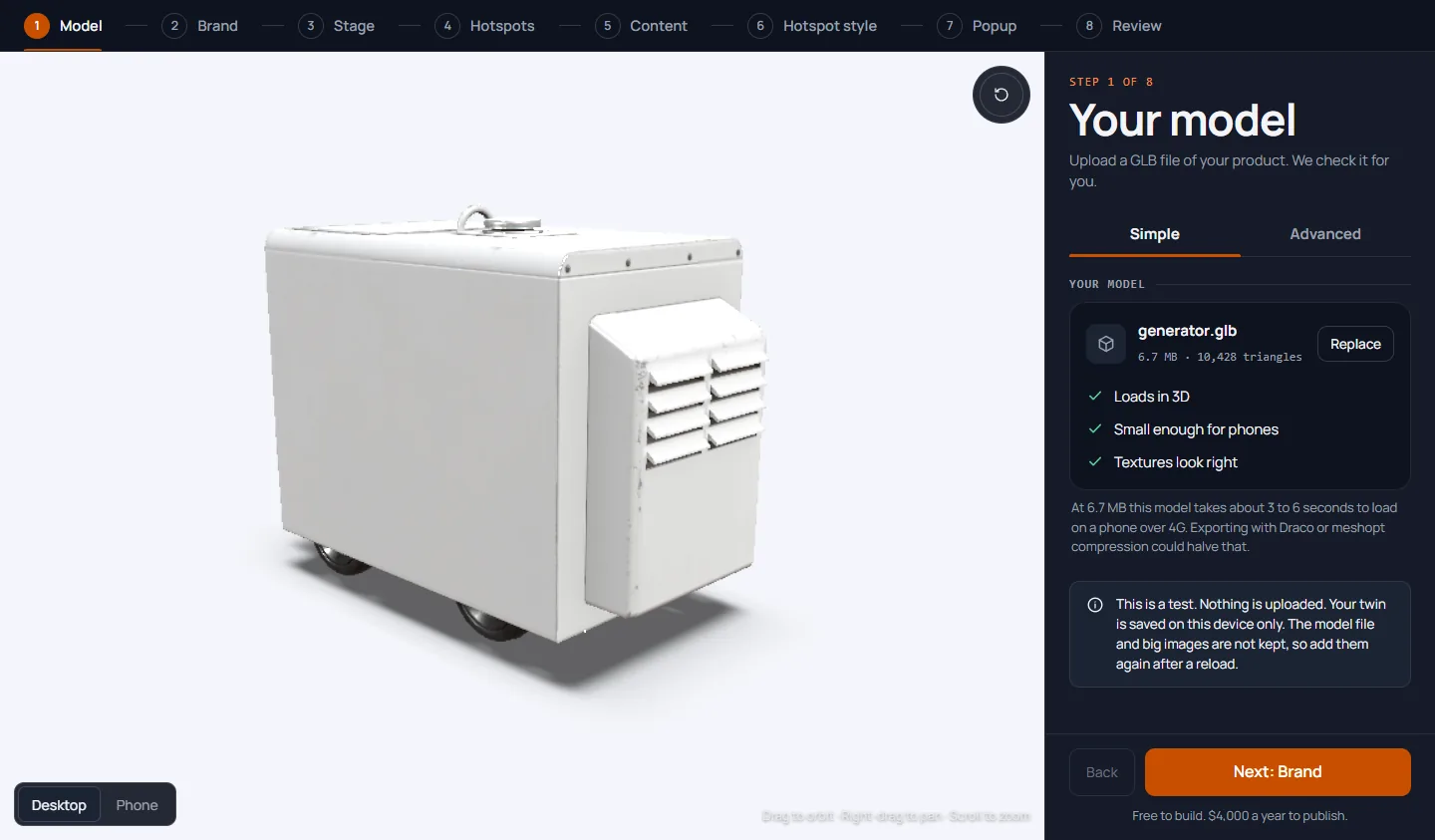
Upload your model. Drop in a GLB file of up to 25 MB. DITTO checks it and tells you in plain words whether it loads in 3D, is small enough for phones and has textures that look right.
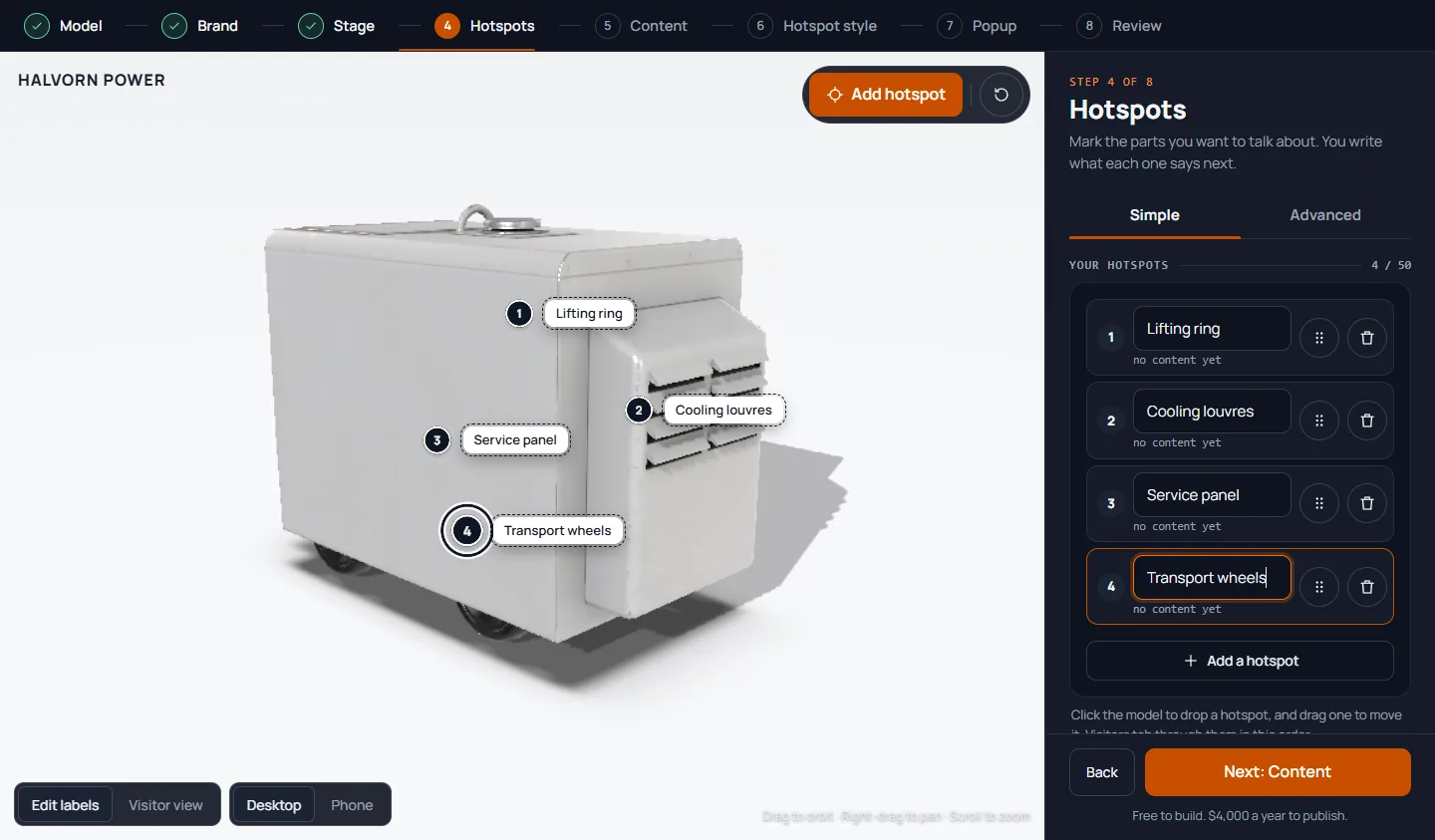
Mark the parts that matter. Click the model to add a hotspot and drag it into place. You can add up to 50 per product, each with its own number and, if you like, a name label.
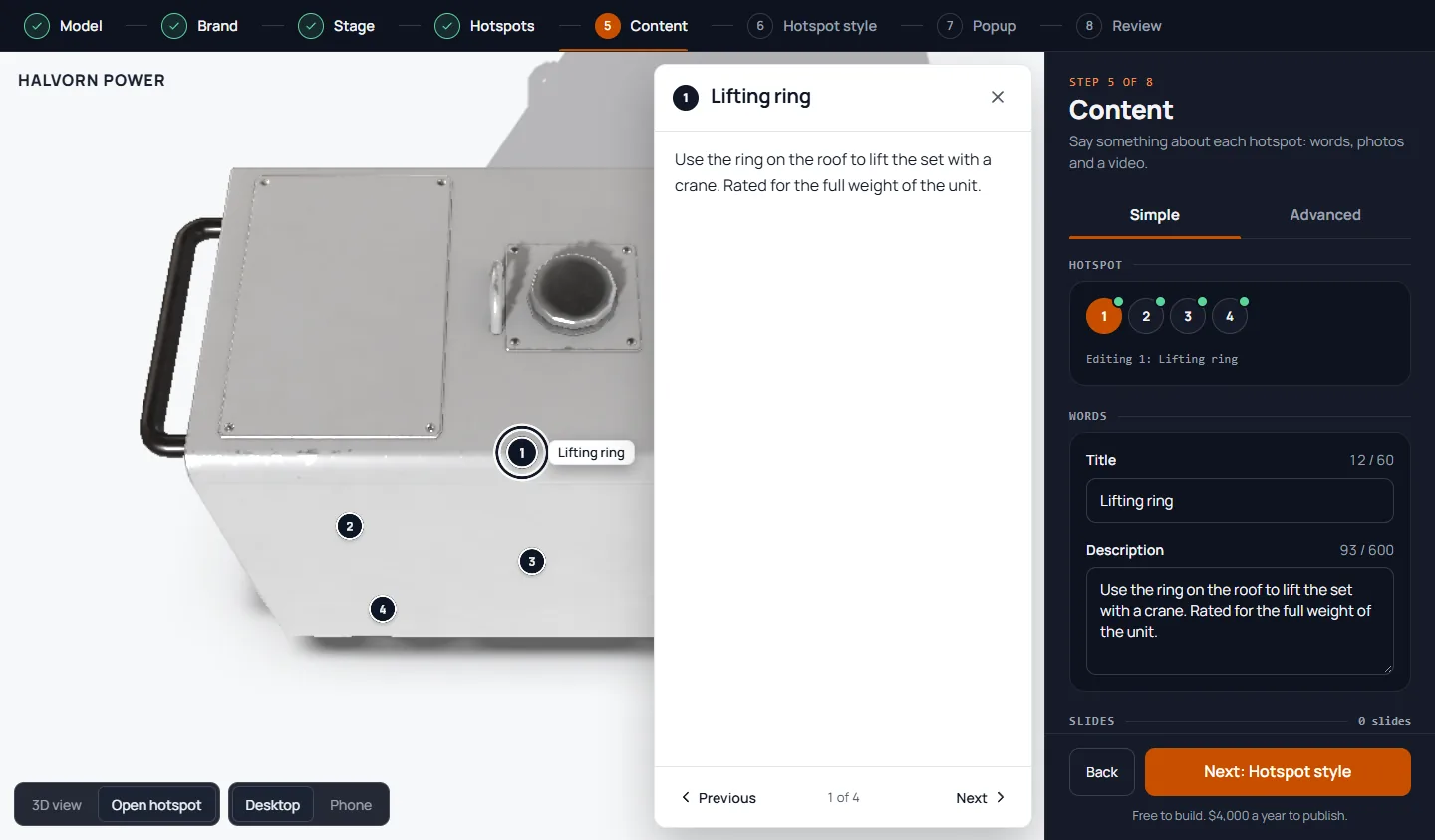
Say something at each one. Pick a hotspot and write a title and a short description. Add photos, a video, a document or a link. The preview beside it shows what a visitor will see.
Copy one embed code. Between those steps you add your logo, colors and fonts, and choose a setting for the product, such as a studio, a showroom or a factory floor. The Review step lists every choice before you publish. Then DITTO gives you one embed code to paste into a page on your site. It works on any site that lets you paste an HTML embed, such as WordPress, and it needs no developer. The help guide has the steps.
What it costs
Building is free. You make an account and pay only when you publish: $4,000 a year per product, or $1,150 every 3 months, plus applicable tax, by card. That includes 25,000 3D loads a month and an analytics tab in your portal that shows views, 3D loads and hotspot opens for each tour. If you ask within 14 days of any charge, we refund it in full.
See a finished one
We built four concept products with DITTO so you can see what a finished tour looks like: a generator set, an electric motor, a worm gear reducer and a wind turbine generator. The companies and the specifications are fictional. The 3D is real.
Start with the worm gear reducer, shown as an engineering article, or see all four on the demos page. Turn the product, open a hotspot and look at what it holds. It takes a minute.
What it does not do
DITTO shows one product with hotspots. If you need buyers to switch colors or options, an exploded view, a kiosk or a full briefing room, that is custom work, and Grey State builds it separately. We have made interactive 3D for defense, medical, technology and industrial clients for more than ten years. A DITTO tour on your website and a custom project do not compete: you can start with the first and add the second when you need it.
Try it with your own model
If you have a GLB file, you can build a tour now, and it costs nothing until you publish. Start building. If you have a question first, write to [email protected] and we will reply within one business day.